

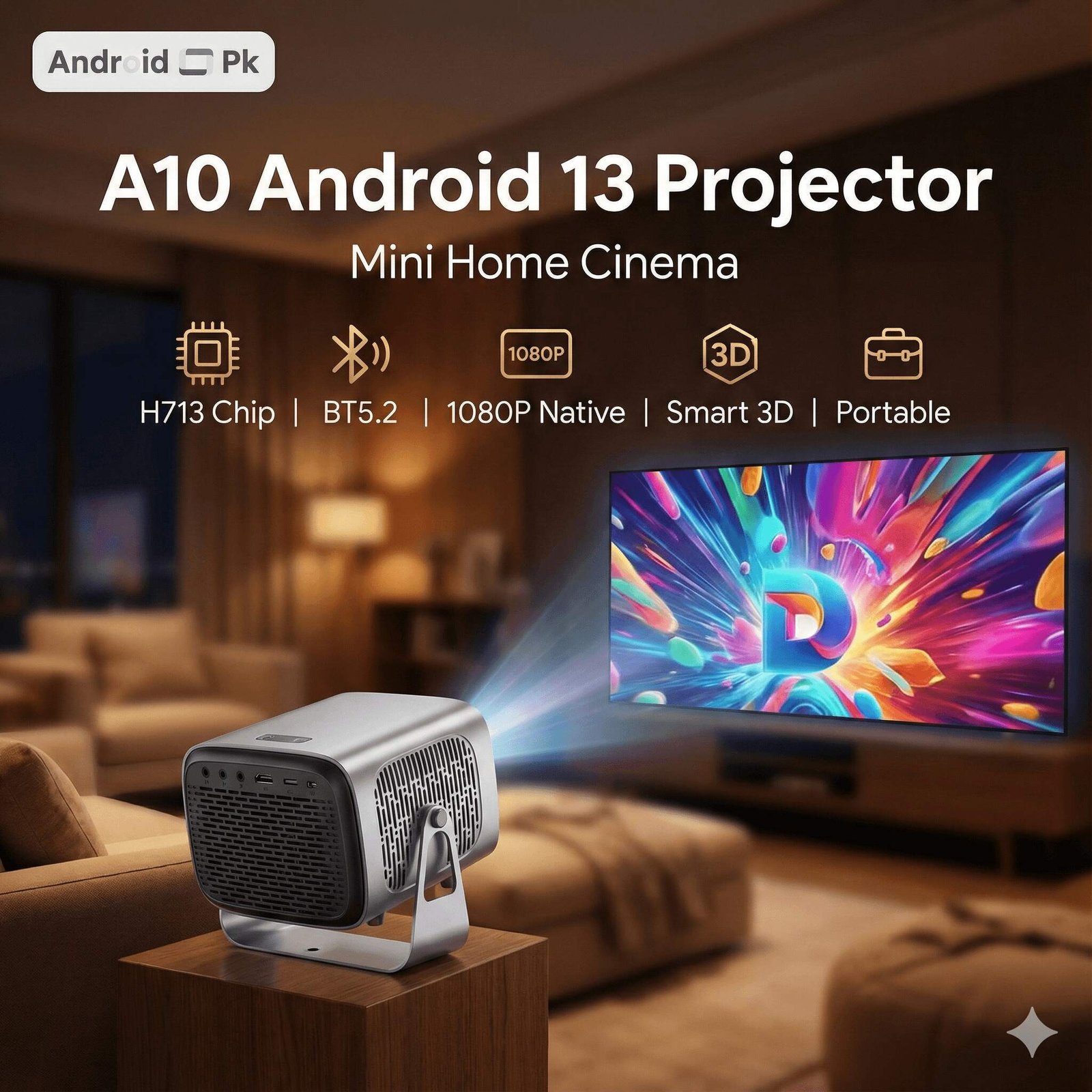
The A10 smart projector is a portable home cinema that supports 1080p video and runs Android. With Wi-Fi built in you can open streaming apps, cast from a phone or play files from a USB drive, all without an external media box.
The compact body and a swivel stand let you point the picture at a wall or ceiling, so it works in a bedroom, living room or office. It is a convenient choice for movie nights, gaming from a console or presentations.
Built-in speakers and a remote control cover basic use straight away, and HDMI input lets you connect consoles, laptops and TV sticks.
Key Features of the A10 Smart Projector
- 1080p support – accepts full HD video input.
- Android system – streaming apps run on the projector itself.
- Wi-Fi connectivity – stream, cast and update wirelessly.
- Built-in speaker – sound included for casual use.
- Portable design – small enough to carry between rooms.
- HDMI and USB inputs – connect consoles, laptops and flash drives.
A10 Smart Projector Specifications
| Model | A10 Smart Projector |
| Supported resolution | 1080p |
| System | Android |
| Wi-Fi | Yes |
What Is in the Box
- A10 projector
- Remote control
- Power cable
- User manual
Good to Know
- Projector brightness figures vary between brands, so view in a dim or dark room for the best contrast and colour.
- Image size depends on the distance between the projector and the wall or screen; move it back for a larger picture.
- Keep the vents clear and let the fan run for a short time after switching off.
Buying Guide
How to choose a projector: look at brightness, resolution and the room. A brighter projector copes better with ambient light, while a dark room allows a lower brightness rating to look good. Native resolution decides sharpness; a unit that accepts 1080p input will still look best when projected at moderate screen sizes. Built-in apps and Wi-Fi remove the need for an extra TV box.
Placement matters: the farther the projector sits from the wall, the larger the picture. Use a plain white wall or a projection screen for best colour, and leave space around the vents for airflow. Connect speakers or a soundbar if you want louder sound.
Maintenance: keep the lens clean with a soft cloth, let the fan finish cooling before unplugging, and store the unit away from dust.